We've heard this request a lot: "I made great cards but closed the tab and lost them." Today, that problem is solved.
Sign In, Save Forever
You can now sign in with your Google account on SlideToAnki. No new password to remember, no email verification, just click and go.
Once signed in, every deck you generate gets a Save to Library button. Click it, and your cards are stored in the cloud. Come back tomorrow, next week, or next semester and they're still there.
Your Personal Library
The new Library page shows all your saved decks in one place. You can:
- Search through your decks by name
- Sort by date, name, or card count
- View decks in grid or list mode
- Re-export any deck to Anki whenever you need it
- Edit cards you want to change
- Delete decks you no longer need
No more re-uploading the same lecture slides when you realize you need the deck again.
Harder Image Occlusion: Blackout Mode
Here's a feature for those who want more challenging recall practice.
When you enable Image Occlusion in the card options, you'll now see a sub-option: "Hide other labels." When this is on, we don't just cover the term being tested. We black out ALL other labels in the diagram.
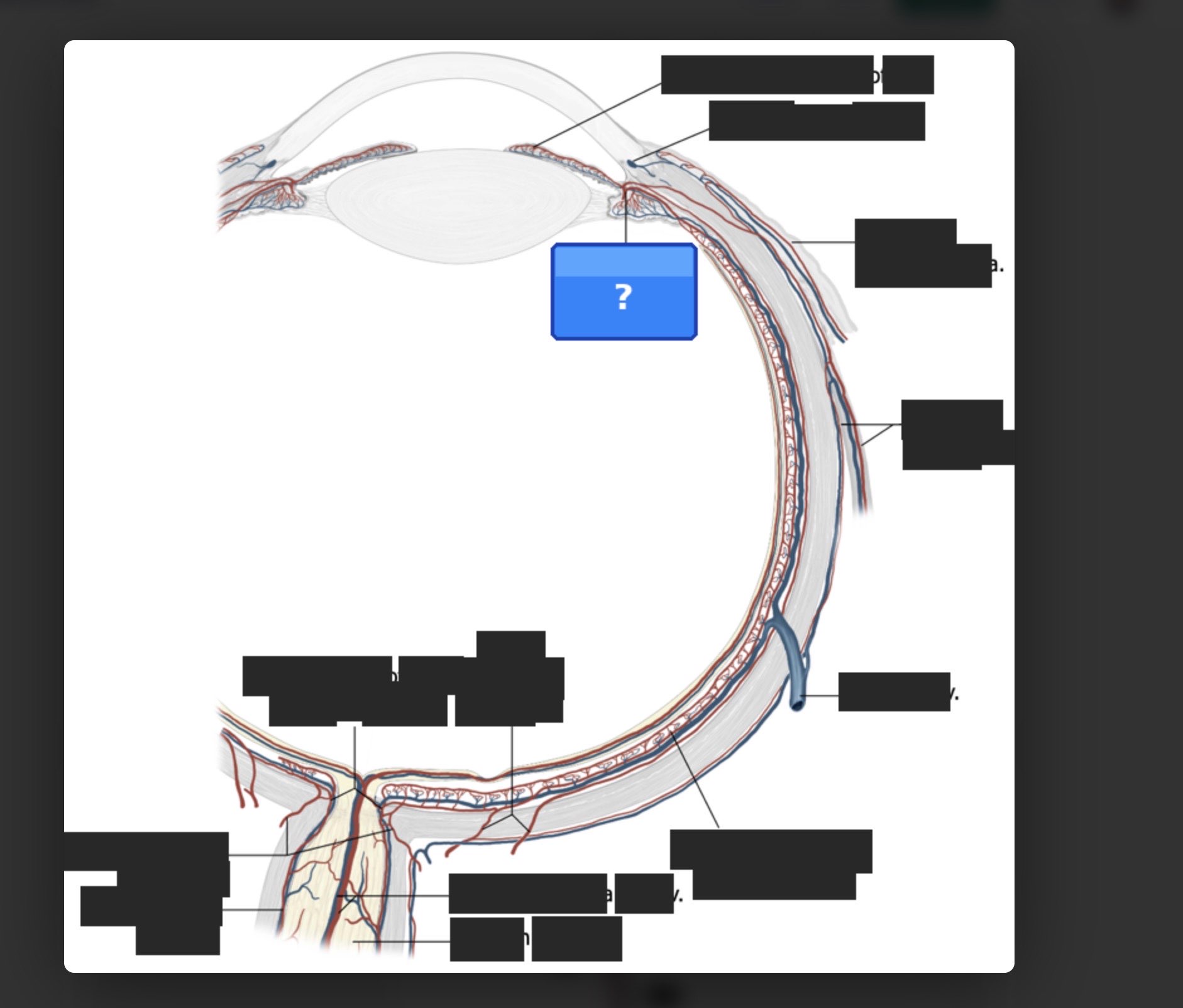
Why Blackout Mode?
Standard image occlusion shows you all the other labels as context clues. That's fine for initial learning, but it can become a crutch. You might recognize "Mitral Valve" just because you can see "Aortic Valve" and "Tricuspid Valve" nearby.
Blackout mode forces pure recall. You see the structure, you see one blank, and you have to know what goes there without any hints from neighboring labels.
Use regular mode for: Initial learning, early in the semester, building foundational knowledge.
Use blackout mode for: Review sessions, exam prep, when you need to prove to yourself that you actually know the material.
The toggle is on by default, but you can turn it off in Card Options before generating.
What Else Changed
A few smaller improvements you might notice:
- Export progress indicator: When you click "Export to Anki," you now see exactly what's happening instead of wondering if it's working.
- Privacy Policy & Terms of Service: Legal pages are live at /privacy and /terms for those who need them.
Try It Now
Head to SlideToAnki, sign in with Google, and generate a deck. Save it to your library and see how it feels to not lose your work.
If you've been putting off converting those lecture slides because "I'll just lose the cards anyway," now's the time. Your decks are safe with us.
---
Questions or feedback? Drop us a line or find us on Reddit.