Your lectures. 50+ flashcards. In minutes.
Upload a PDF or PowerPoint. Get cloze deletions, Q&A cards, and image occlusion cards from your text and diagrams — automatically.
The sinoatrial (SA) node generates impulses at 60–100 bpm
The plateau phase of the cardiac action potential prevents tetanic contraction by maintaining prolonged depolarization
Ejection fraction (EF) = SV/EDV, normal >55%. EF <40% = HFrEF
Your quality check
See every answer before it reaches Anki.
Review one card at a time. Keep the cards you trust, edit the almost-right ones, and dismiss the rest before you export.
The sinoatrial (SA) node normally generates impulses at 60\u2013100 bpm.
Intrinsic conduction system — lecture slide 18
Your diagrams become flashcards. Automatically.
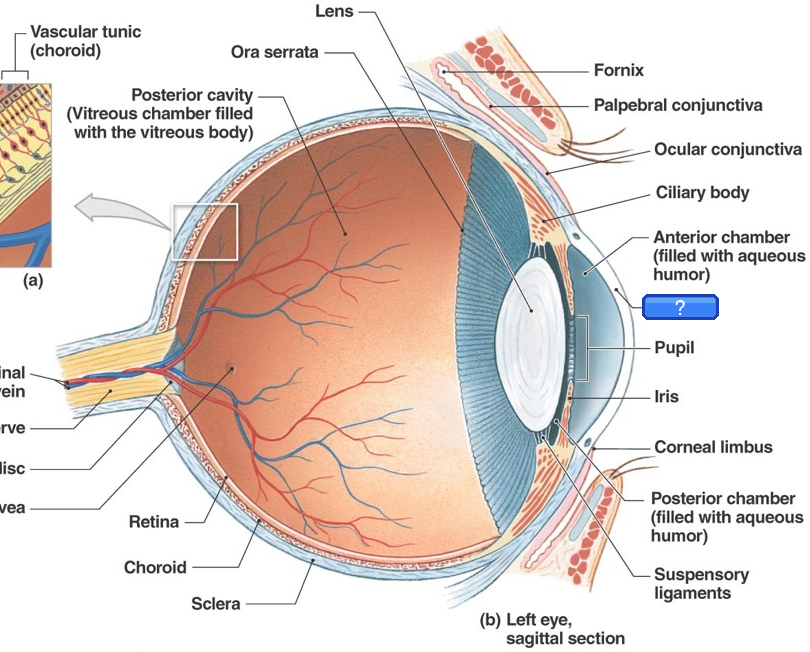
Upload slides with labeled diagrams. Labels are detected automatically and turned into image occlusion cards — hiding one label at a time. Trivial labels are skipped. No manual work.
Works with any labeled diagram
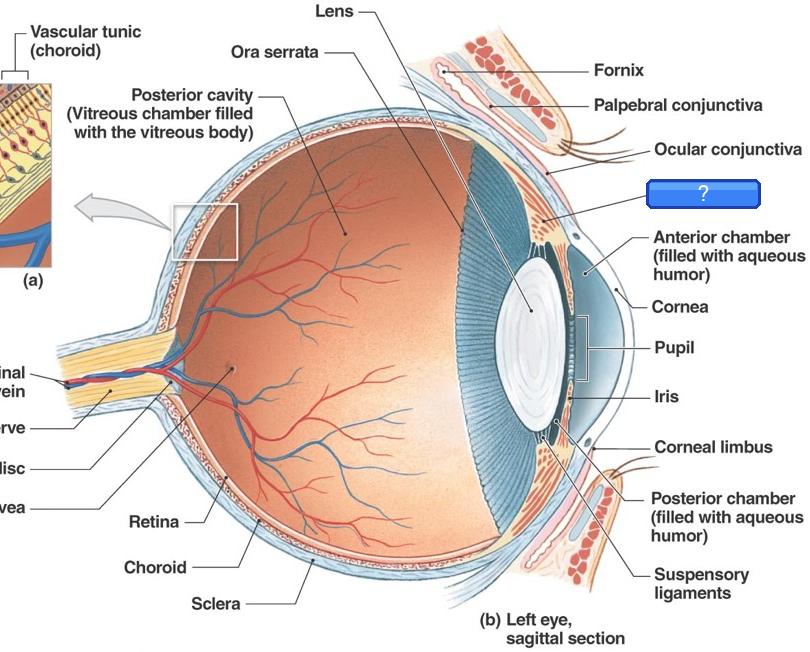
From: Ocular Anatomy
Three card types
Every concept. The right format.
The right card type for each concept — cloze for facts, Q&A for reasoning, image occlusion for diagrams.
Fill in the blank
Key terms, values, and relationships hidden in context. Tests active recall of specific facts.
Label the diagram
AI detects labels on your diagrams and hides them one by one. Skips trivial labels — tests what actually matters.
Explain the mechanism
Reserved for "why" and "how" questions that need deeper reasoning, not just single-word recall.
How it works
Three steps. Just a few minutes.
Upload your slides
Drag and drop any lecture PDF or PowerPoint. Text and images are extracted automatically.
Cards drafted automatically
Your text and diagrams become cloze, Q&A, and image occlusion cards—ready for your review.
Keep the cards you trust
Approve, edit, or dismiss each source-backed card. Sync text cards to Anki desktop or export a complete .apkg.
More than a card generator
A study workflow that improves with you
Trace every answer, teach the generator your preferences, and keep your lectures moving without losing the review step.
See the supporting slide
Every text card links back to a slide and source excerpt. A lecture coverage map shows what is represented—and what is not.
Teach it what good means
Keeps, edits, rejects, and incorrect flags become structured feedback that shapes later generations.
Organize your decks
Keep your saved decks in Library folders and return to each lecture at your own pace.
Reuse work safely
Repeat uploads can reuse cards you already approved. Opt-in trusted cards need multi-student agreement and fresh source grounding.
saved per lecture
cloze · Q&A · occlusion
card count adapts to content
formats supported
Pricing
Priced for the med student budget
We know you’re surviving on loans and free pizza from lunch lectures. Start free, upgrade when you’re ready (or when Step 1 panic sets in).
Free
Try the full review workflow on real lectures.
- 3 generations / month
- Cloze, Q&A, and image occlusion
- Source-backed review and coverage
- Export to Anki (.apkg)
- Unlimited cloud library
- Concise coverage
Unlimited
Built for your lecture schedule.
- Unlimited generation
- Every card traceable to the slide it came from
- Review queue that learns from your keeps and rejects
- Cloze, Q&A, and image occlusion
- All coverage depths
- Named Library folders
- Unlimited cloud library
- Original lecture file storage
- Priority generation queue
FAQ
Common questions
Is it really free?
Can I cancel anytime?
Do I need to create an account?
How can I organize my decks?
How good are the generated cards?
Can I customize what types of cards I get?
What file formats are supported?
Will the cards work with my existing Anki setup?
How many cards does it generate?
Can I edit the cards before exporting?
Can I save my decks and access them later?
Is my data private?
Stop spending hours making flashcards.
Upload your first lecture. One file in, dozens of study-ready cards out.

Hi, I'm Keefer.
I built SlideToAnki to help you spend less time making flashcards and more time learning, resting, or being with the people you love.
I post product updates on my X.